When something changes in your directory, you can now see exactly who did it, when, and what changed. The new Audit log lists every change made in ShiftControl to your users, groups and apps, whether it was made by an admin, through an API key, by an AI assistant, or by ShiftControl’s own automations.
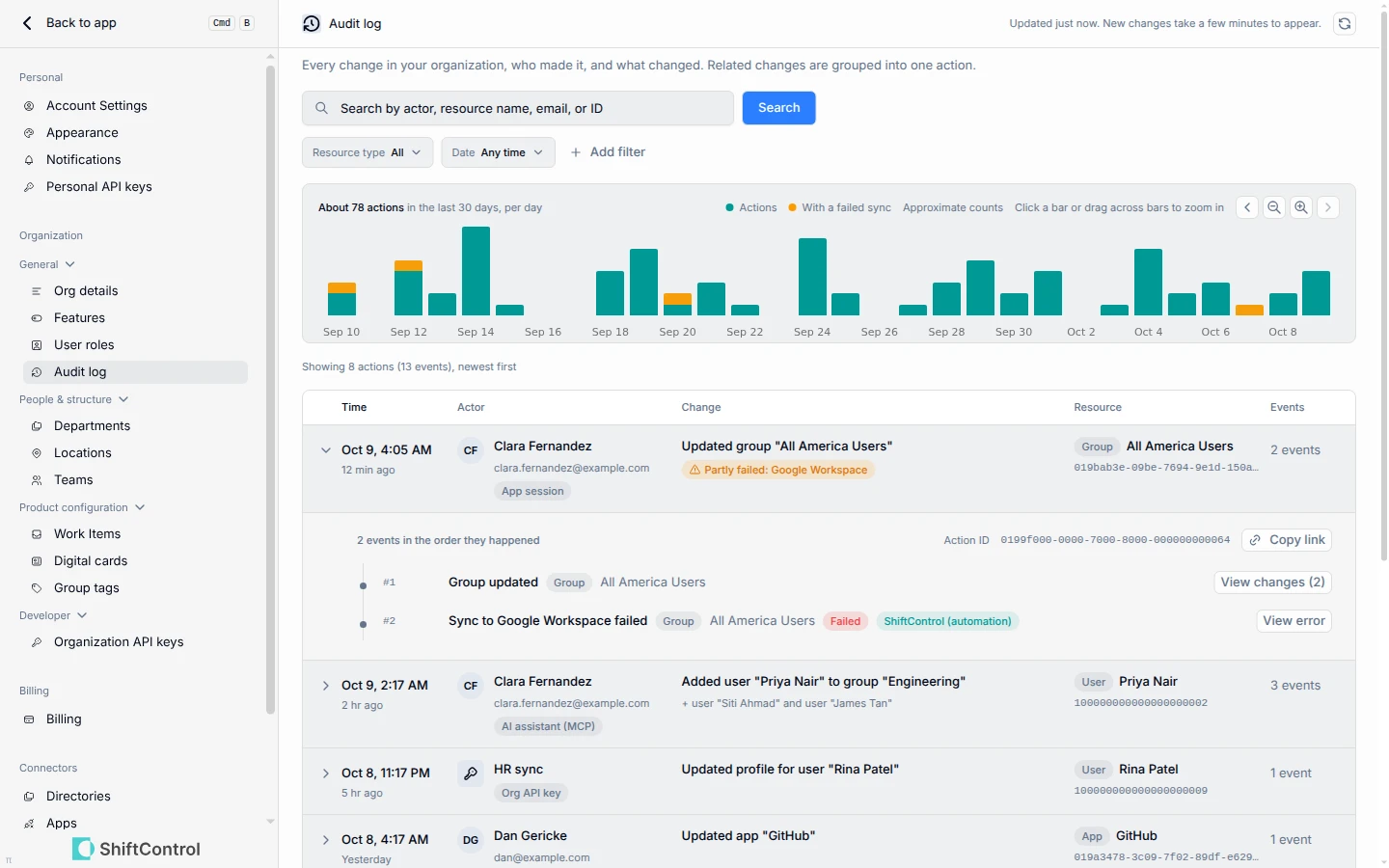
- Each row is one action, with the time, who made it, what it changed and a short summary. Expand a row to see every step in the action
- Open an action to compare each field before and after the change
- If a change could not reach Google Workspace or JumpCloud, the action is marked as partly failed, so you know where to follow up
- Each person’s row shows how they made the change: in the app, with a personal API key, or through an AI assistant
- Filter by person, type of change, date range or directory, or search by name, email or ID. Drag across the activity timeline to zoom in on a date range
- Copy a link to any action to share it with a colleague
- User, group and app pages have a new Activity tab that shows the history of just that record
Getting Started
Go to Settings > Audit log. Admins with permission to view the audit log see it in the settings menu.