An access review used to start with an export. Manage Users had no column for either kind of admin role, so “who is a Super Admin here?” meant a spreadsheet and a pivot. Now both are on the grid. Each user’s Google Workspace admin roles (Super Admin, User Management Admin, Help Desk Admin, and any custom roles) and any admin role they hold in ShiftControl are available as columns, appear as small indicators on the user cell with the role names in the tooltip, and can be filtered. Roles inherited through a Google group count too, and are marked “via group”.
The toolbar got a rework at the same time. Five separate filter pulldowns had grown to the point where the Add user button wrapped onto a second line on an ordinary laptop screen. The 2SV, last sign-in, Google admin role and ShiftControl role filters now live together in one Filters panel, with a count badge showing how many are active, and the whole row fits on one line again.
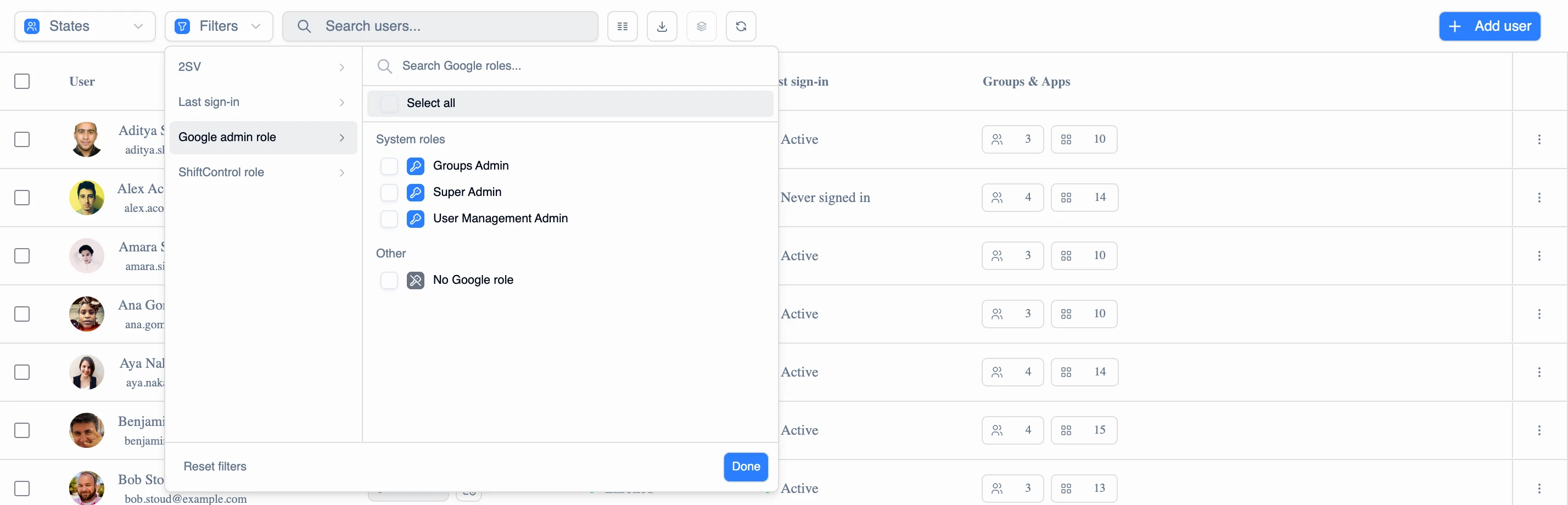
- Filter to “Super Admin”, or to everyone holding a ShiftControl admin role, and get exactly those people, combined with the status and directory filters you already use
- Role lists only offer roles someone actually holds, so you never pick an option that matches nobody
- A filter icon appears on any column a filter narrows, and a Reset button clears the panel’s filters without touching your States selection
- Both role columns export with the grid, alongside a new “Last sign-in time” column carrying the exact timestamp
- Hover over a last sign-in status to see when that person actually signed in