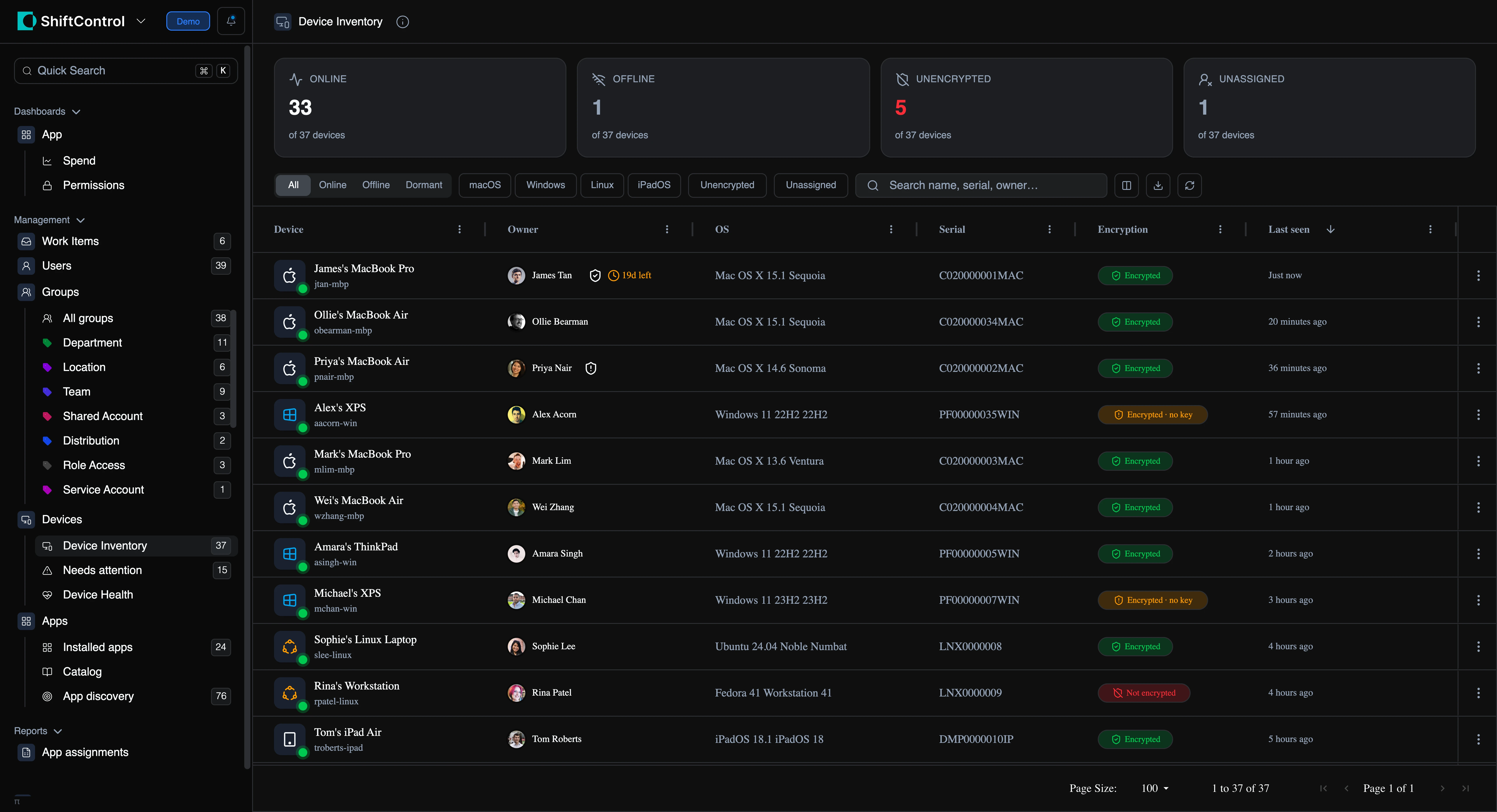
ShiftControl could already manage your people and your apps — but your laptops and phones lived in a different tab entirely. Not anymore. JumpCloud Device Management brings your whole fleet into ShiftControl: every Mac, Windows, and Linux machine, plus phones and tablets, with the details that actually matter — who owns it, what OS it’s running, whether it’s encrypted, and when it last checked in.
And it’s live. We don’t copy your devices into a database that goes stale overnight — what you see is what’s true in JumpCloud right now.
How It Works
- A dedicated Devices section, right alongside Users and Apps
- A clean inventory with the fields that matter — owner, OS, model, serial, encryption status, last check-in — and filters for stale, unencrypted, unassigned, or by platform
- Per-user device lists on every profile, plus a “who doesn’t have a managed device?” view to catch the gaps
- Offboarding controls when you need them: lock, restart, shut down, erase, un-manage, or retrieve a device’s FileVault recovery key
- A new device-admin role with per-action permissions and a full audit trail, so powerful actions stay with the right people
Getting Started
- You must be a customer with JumpCloud enabled
- The devices feature is automatically enabled for all JumpCloud customers. If you want to disable it, go to settings->features and toggle devices off.
- Open the new Devices section in the left nav and start managing devices!
More platforms and actions are on the way — this is just the first release.