Every person at your company can now have a branded digital business card. One link, one QR code, and their contact details land straight in someone’s phone. No app to install, nothing to hand over, and nothing to reprint when somebody changes title.
Dedicated SaaS services built for this usually don’t know anything about your directory. ShiftControl already knows who works for you, what their title is, and which department they sit in. So the card fills itself in, stays accurate as people move around, and shuts itself off the moment someone is offboarded. It’s included in your current plan.
How It Works
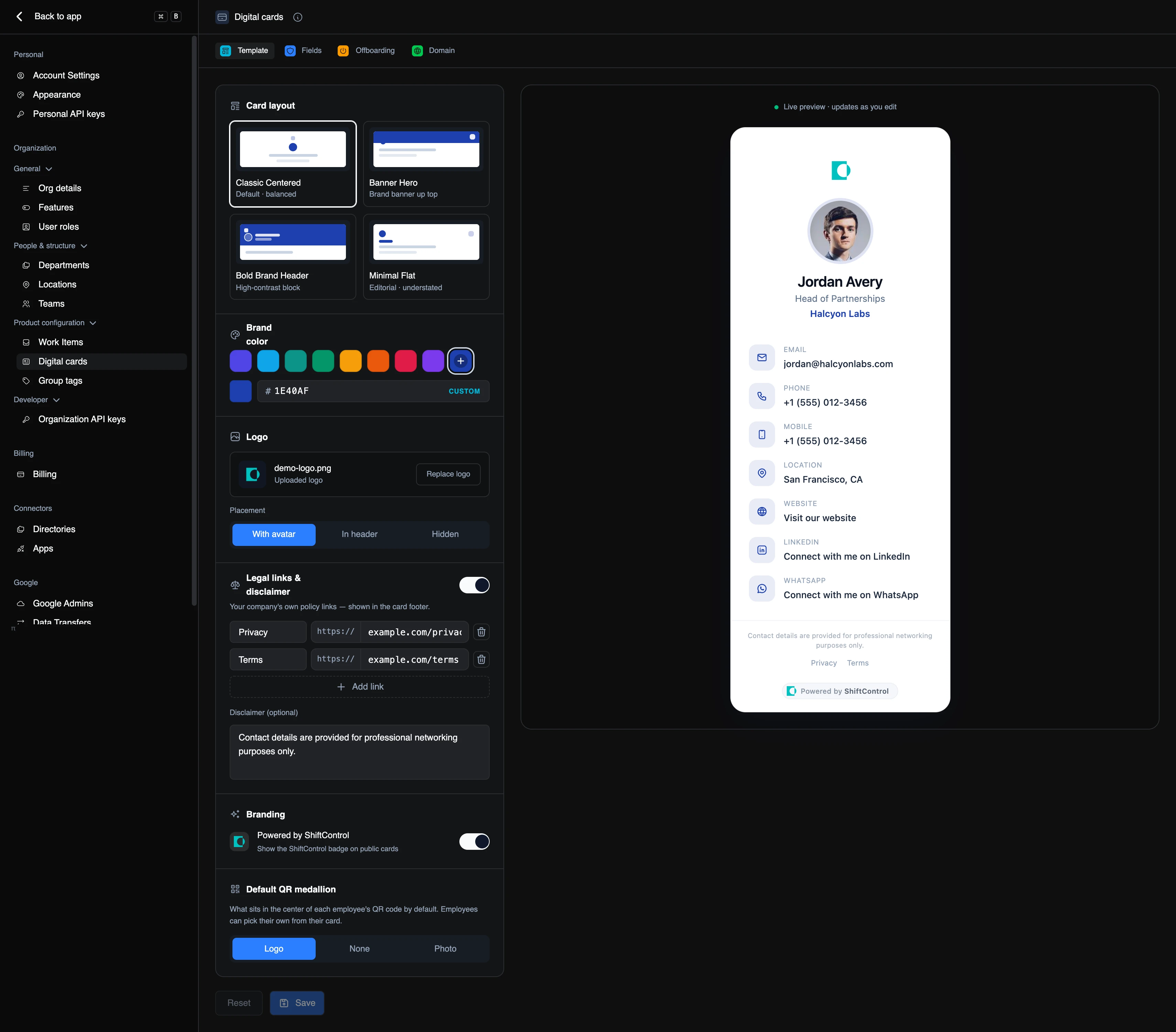
- Four layouts to choose from — Classic Centered, Banner Hero, Bold Brand Header, and Minimal Flat. Set your brand colour, upload your logo, and decide whether it sits beside the avatar, in the header, or not at all.
- A live preview beside every control. What you see on the right is exactly what someone gets when they scan the code.
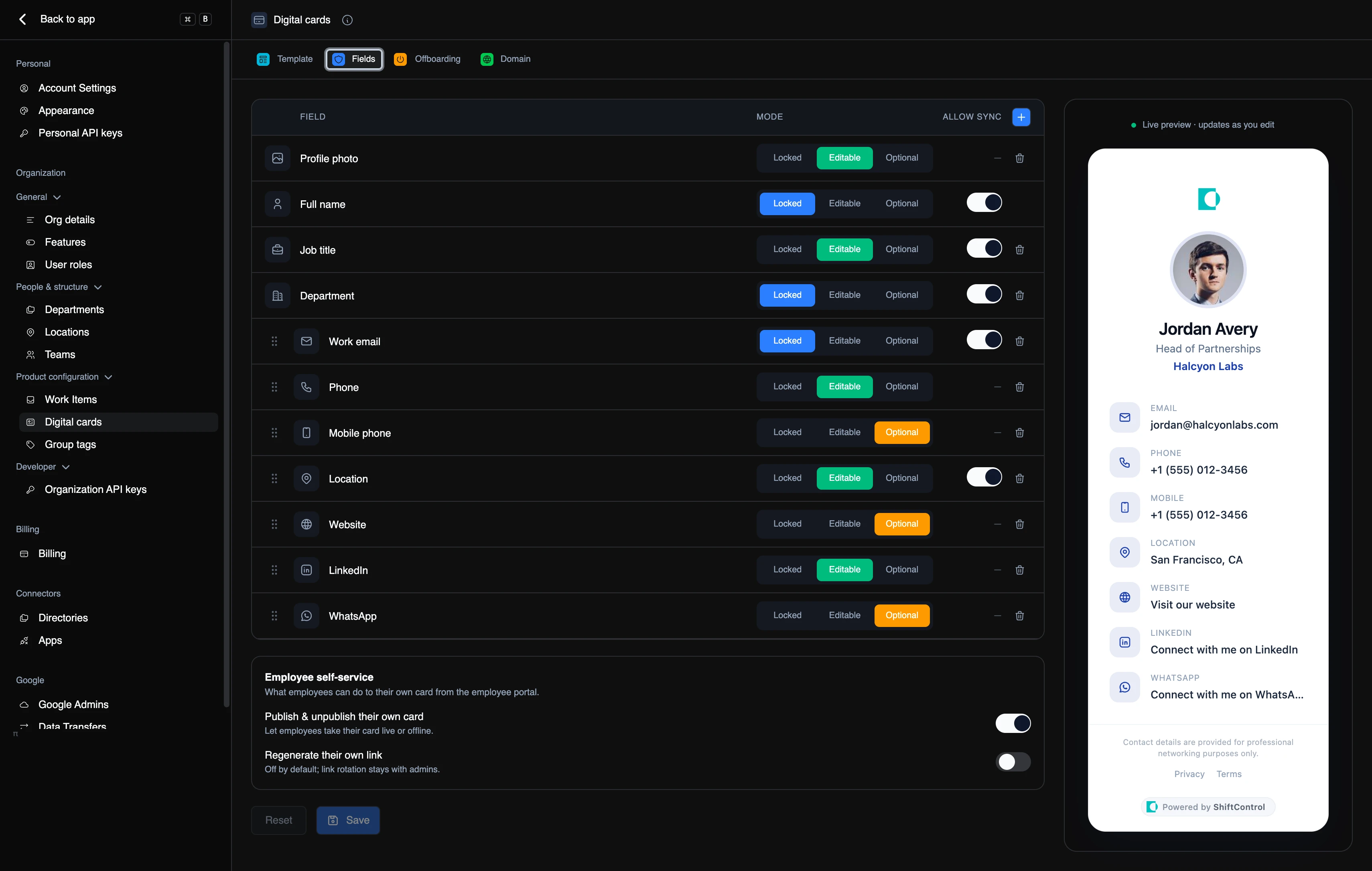
- You decide what employees can touch, field by field. Lock a field so it always matches the directory, make it editable, or mark it optional so people can leave it blank. Name, job title, and department can be set to follow the directory automatically, so a promotion updates the card without anyone opening it.
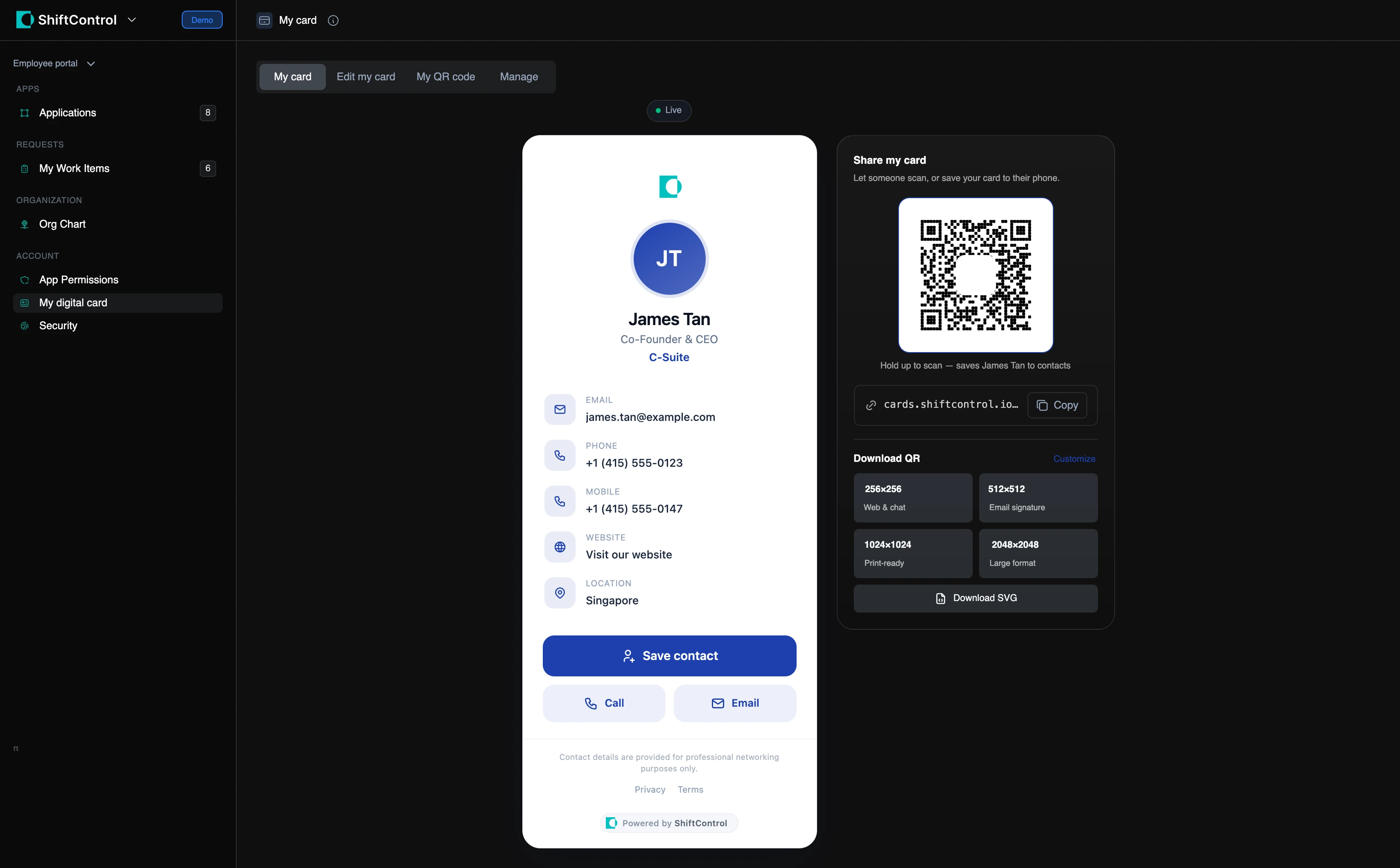
- Employees activate their own card from the employee portal, prefilled from their profile with their Google photo as the default. They get a QR code they can download at four sizes — one for chat, one sized for an email signature, one print-ready, and an SVG.
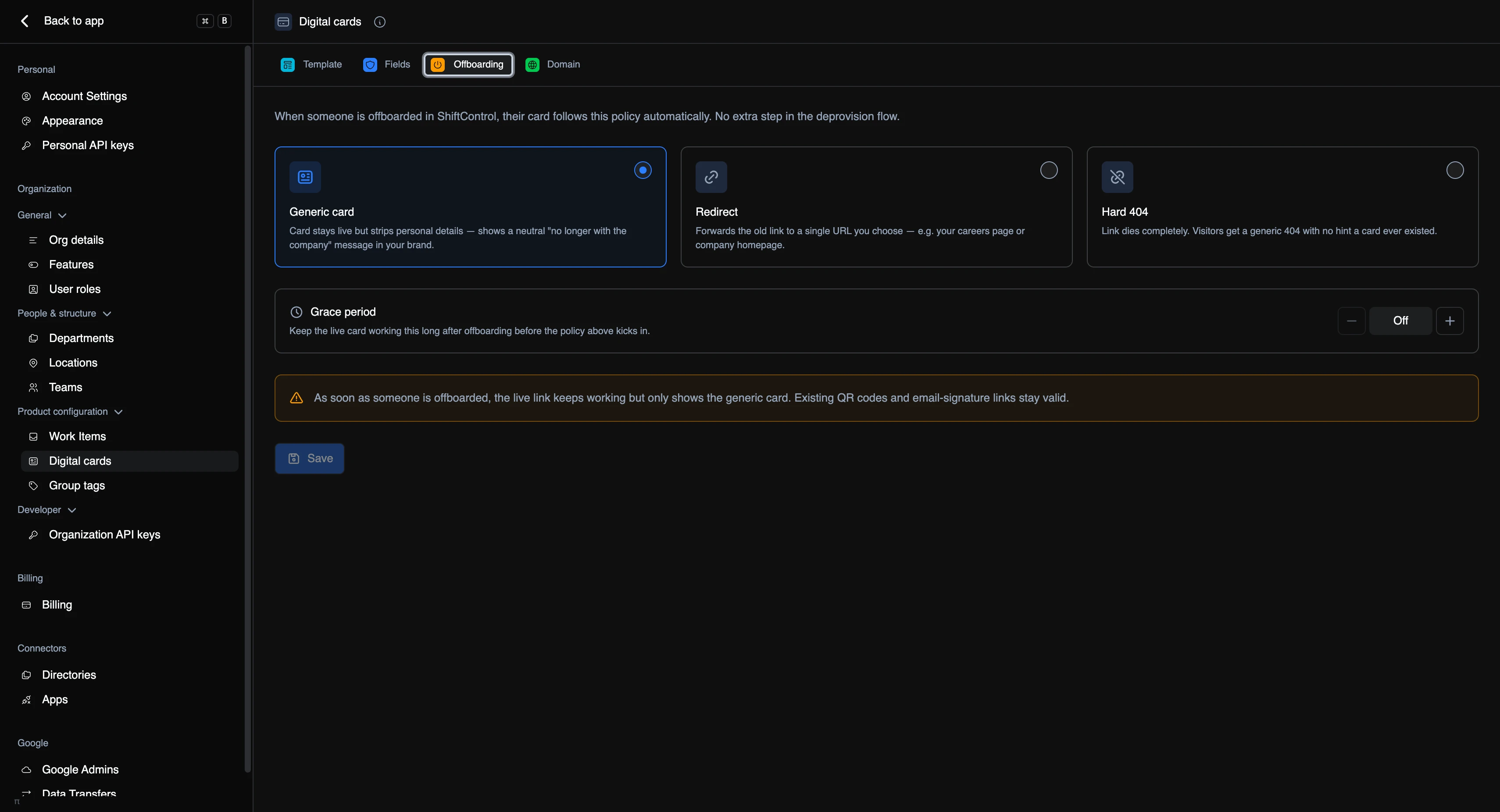
- Offboarding is already wired in. Pick what happens to a card when someone leaves: keep the link alive showing a neutral “no longer with the company” card in your branding, redirect it to your careers page, or kill it outright. Set a grace period if you’d rather it wind down gently. Existing QR codes and email-signature links keep working either way.
- Cards are served from the edge, so a template change is one save and every card in your company is rebranded at once. You can point your own domain at them too.
- Private by design. Card links are long random strings that can’t be guessed or enumerated, there’s no public directory of who has a card, and you can rotate a link at any time if one gets shared somewhere it shouldn’t be.
Getting Started
- Head to Settings → Digital cards and pick a layout, colour, and logo on the Template tab.
- On the Fields tab, decide what belongs on the card and how much of it employees can change.
- On the Offboarding tab, choose what happens to a card once someone leaves.
- Hit Save, then tell your team to open Employee portal → My digital card and switch theirs on.