A group’s saved conversations are only as private as its settings. If anyone in your company can read a group’s conversations, a group for pay, HR or legal is open to everyone, whether they were added or not. If anyone can join, people can add themselves and start getting its mail.
ShiftControl now checks the settings of every Google Workspace group and shows you which ones people outside the group can read or join. Find the new Open groups card under What we found on your home dashboard.
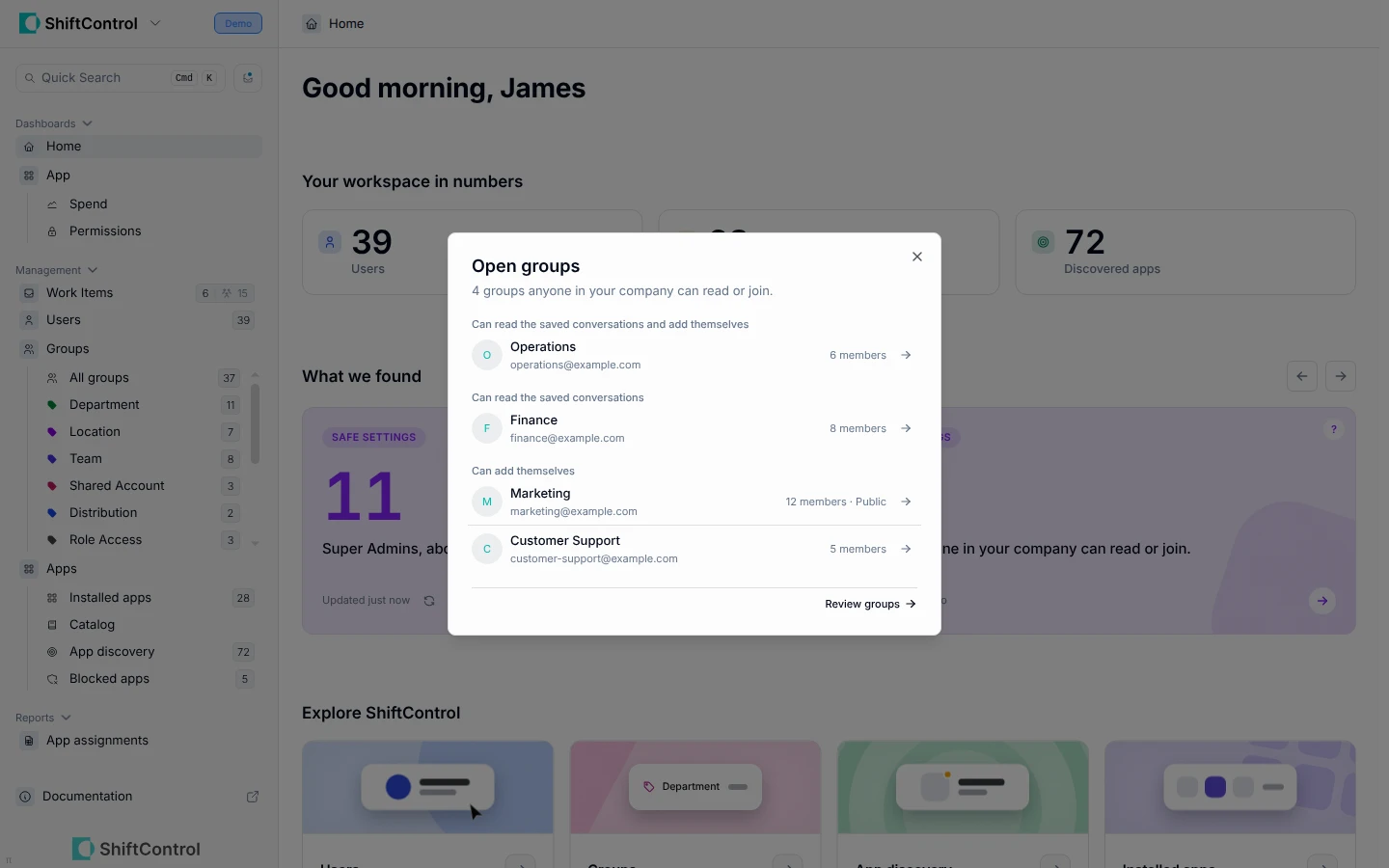
- Open the card to see each open group, its member count, and whether people can read its conversations, add themselves, or both
- Select Review groups to open your Groups page showing just those groups, ready to change
- Applying any ShiftControl group template sets a group back to members only
- The card updates every hour as ShiftControl syncs your directory
- New customers also see this finding while ShiftControl analyzes their workspace during setup
Getting Started
Open your home dashboard and look for Open groups under What we found. The card appears for every organization connected to Google Workspace.